
Experiments with Meshtastic
Promising, but a work in progress

I’ve become interested in community owned and operated communications networks as an alternative to the internet and corporate owned cellular networks.
Meshtastic is one such network. It is a mesh network, which allows nodes to self organize, based upon the LoRa protocol, an unfortunately proprietary wireless protocol originally designed for Internet of Things devices to communicate.
Meshtastic repurposes this protocol for use as a peer to peer text messaging service. I find this appealing because it has become a common practice for governments to turn off access to internet and cell phones in areas where government operations are taking place in order to control the information space, but We The People still need to be able to communicate and organize.
Meshtastic is open source, and has broad usage, at least in the Denver area where I live. It appears this is the case in many metro areas worldwide. Meshtastic does not use the internet or cell towers, it operates via LoRa on the so-called 900Mhz ISM band (in the US, other countries use different spectrum), a band of radio frequencies licensed for “Industrial, Scientific, and Medical” devices.
Meshtastic devices (called nodes) typically take the form of a small battery-powered radio that connects to your cell phone via bluetooth, but there are some standalone devices. Some nodes are solar powered, allowing automatic recharging even if the power is out. Nodes may be purchased for under $20, ranging up to the usual as much as you want to spend.
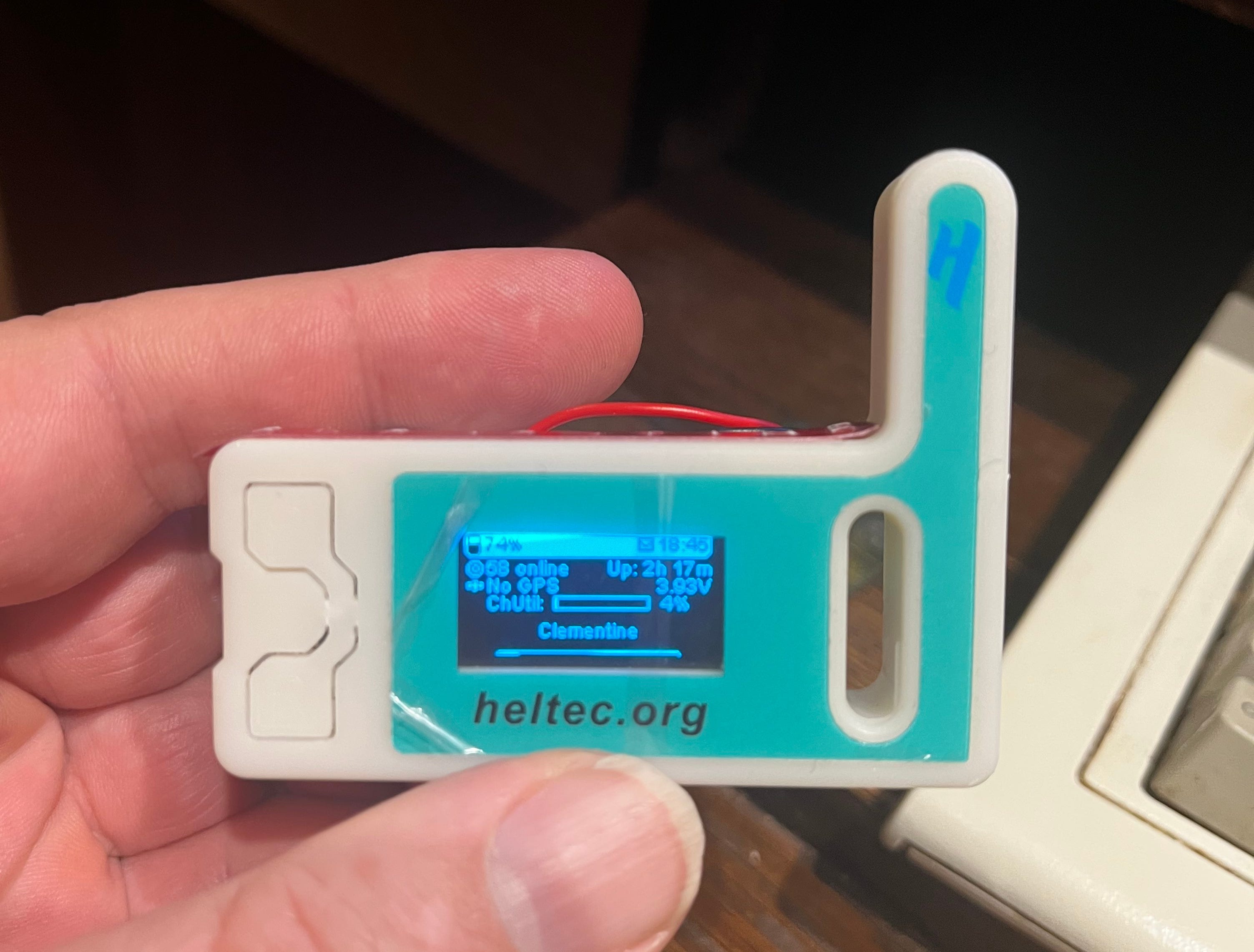
Heltec V3 Meshtastic node, purchased on Amazon for $12.50. The antenna isn’t great, but it will work for short ranges. Can connect to your phone via Bluetooth or WiFi. I added a battery and double-sticky taped it to the back which cost another $6.50. You could also power it via a USB power bank. This setup is suitable for short-range texting between people in a crowd or similar. You can keep this little radio in your shirt pocket or purse and use the Meshtastic app on your phone to “text” other Meshtastic users nearby.
Additionally, other nodes, even if they cannot decrypt or view your traffic will “repeat” it and rebroadcast your messages so they cover a wider area.
Meshtastic offers the promise of covering a wide geographic area via large distributed meshes, but I find the current implementation is pretty unreliable after 2 or 3 hops, even if you set your radio to send packets for 7 hops (the maximum). Every now and then I have some distant contact, the other day I got a message from someone in Pueblo, Colorado in Longmont, Colorado, 7 hops, but this kind of distant messaging seems to be sporadic with Meshtastic. I know people at music festivals use Meshtastic to communicate, so that validates the 2-3 hop big event kind of use case. I think with careful positioning of repeaters on high places, etc. you can achieve reliable long range communication, but that takes quite a bit of planning and investment.
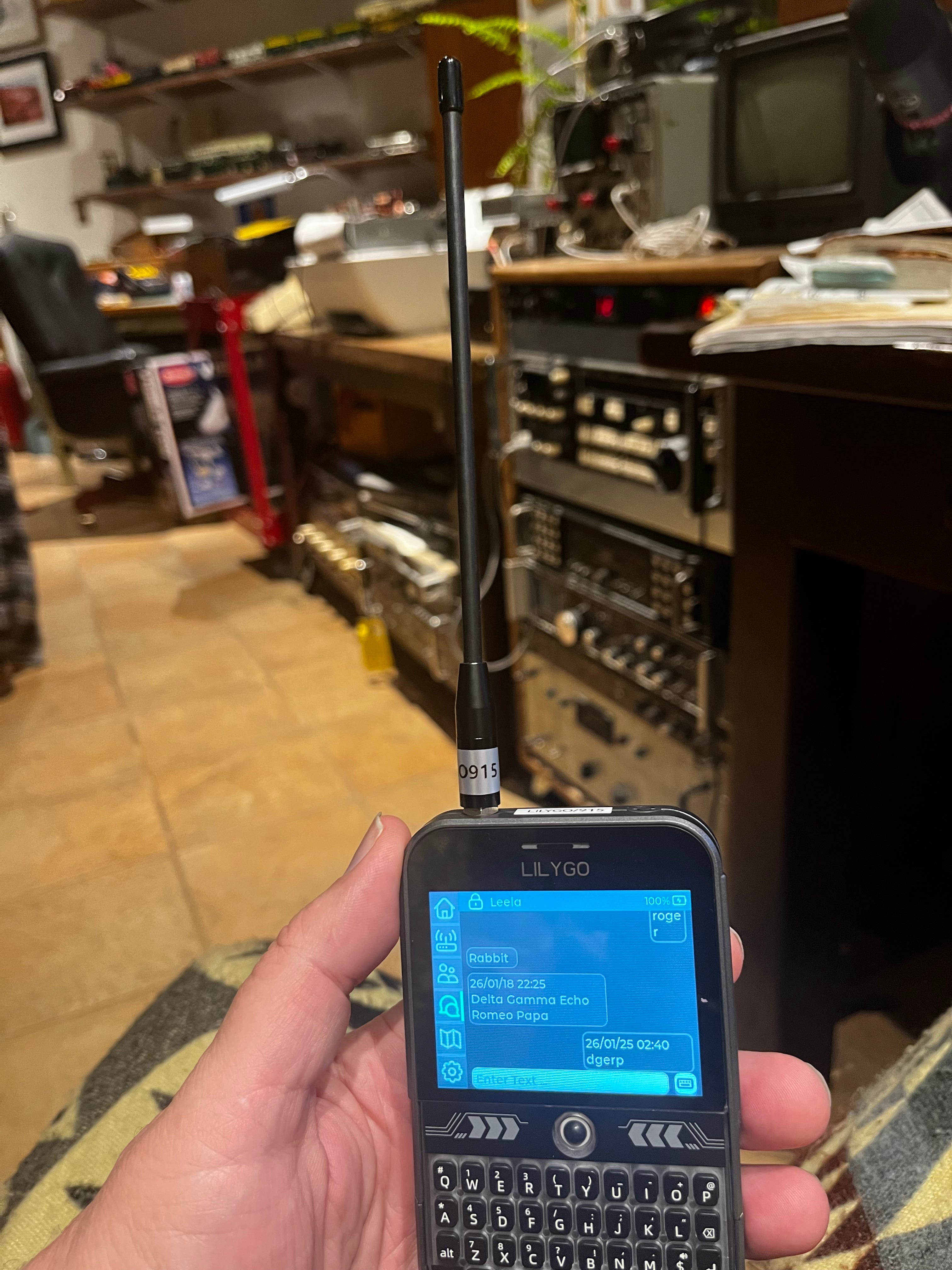
This is a LilyGo T-Deck. It’s kinda cool in that it doesn’t need a cell phone, it’s an all-in-one unit. But I’ve had some issues with the firmware on it that I haven’t been able to resolve, and despite it looking like a blackberry, the keyboard and trackball are pretty flimsy. I think if you were to drop it the unit would shatter. I don’t really recommend this one.
My favorite so far is this little unit, RAKwireless WisMesh Pocket v2. It’s in a robust 3D printed case, has GPS built into it so you can use it to navigate to your contacts (more on this in another post), connects to your phone via bluetooth, has a bit larger screen than most radios, fits in your pocket, but you can also attach a bigger/better antenna to get longer range. It’s got a good sized battery that lasts several days, and maybe even over a week if you turn GPS off. It is not water or coffee proof. No, I don’t want to talk about it.
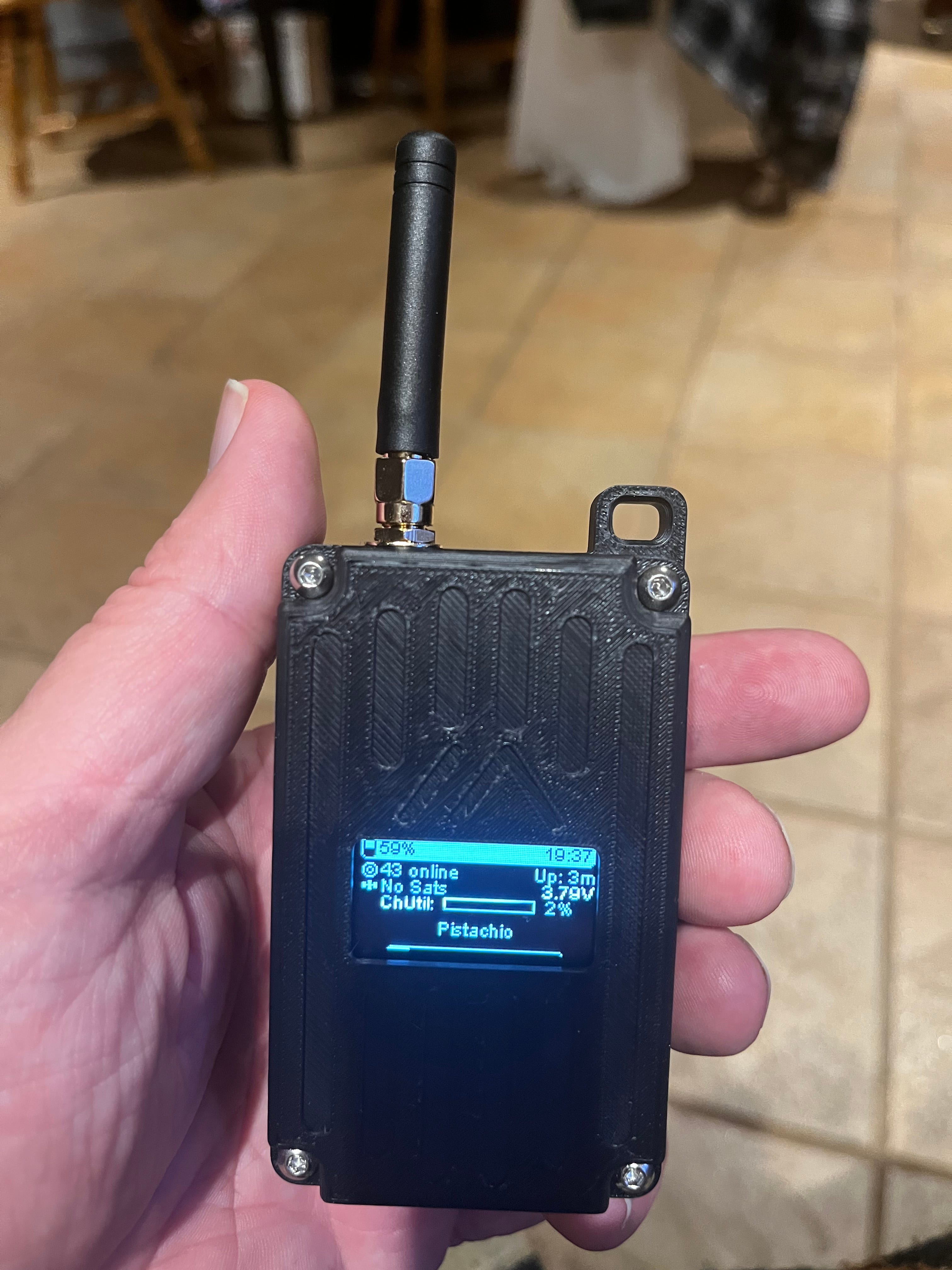
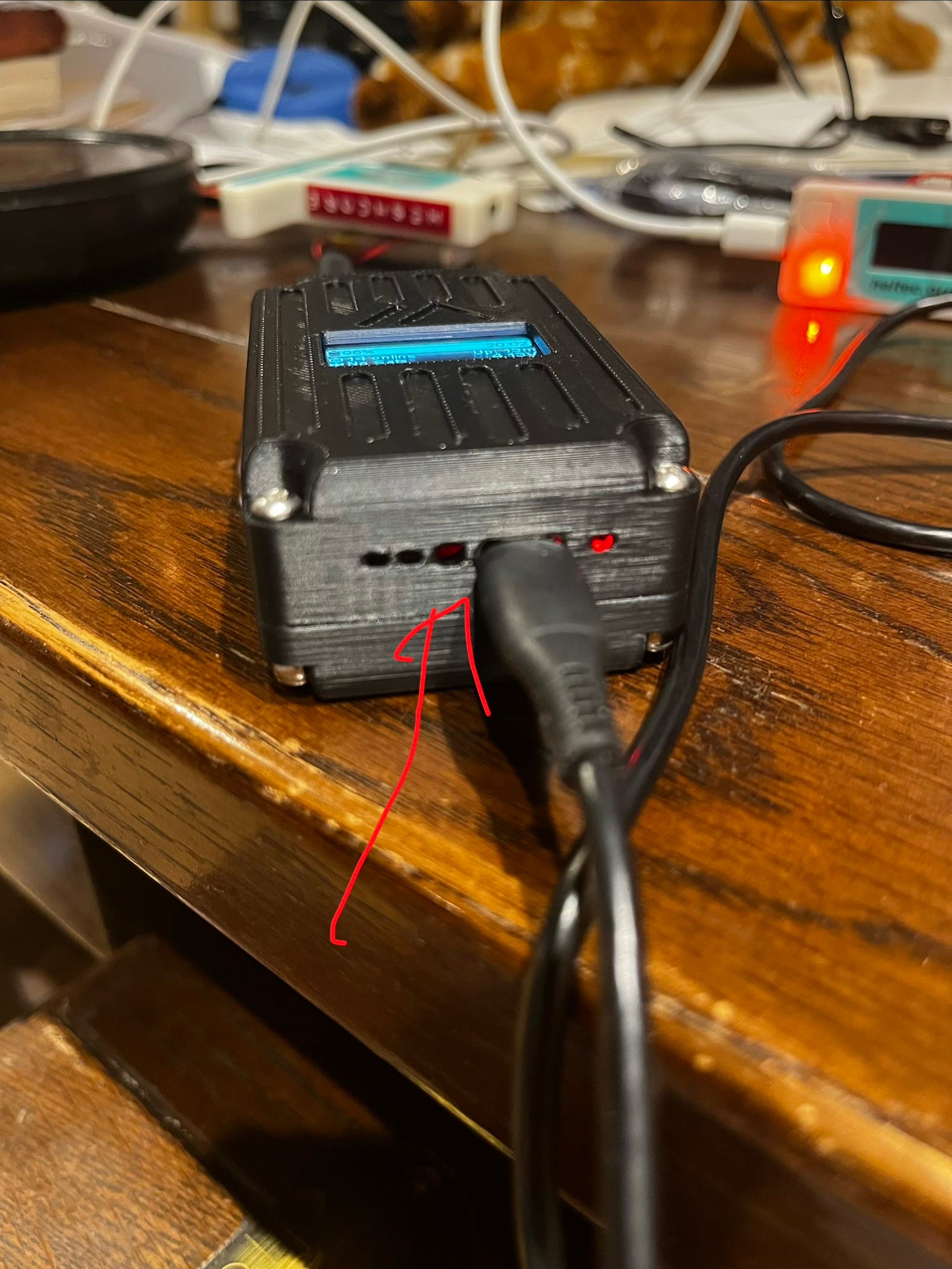
That being said, it has its mysteries. To load firmware on it you have to press the reset button twice. Nowhere in the directions could I find a reference to where the reset button was, and it didn’t appear to be any of the buttons I could find on the radio. Finally, I found on the internet the reset button is something you poke in this little hole with a ballpoint pen or similar.
Also note that the auto-detect for the display type doesn’t work on this radio, and to get the screen to work properly, you have to set the screen type to SSD 1306 manually in the configuration:
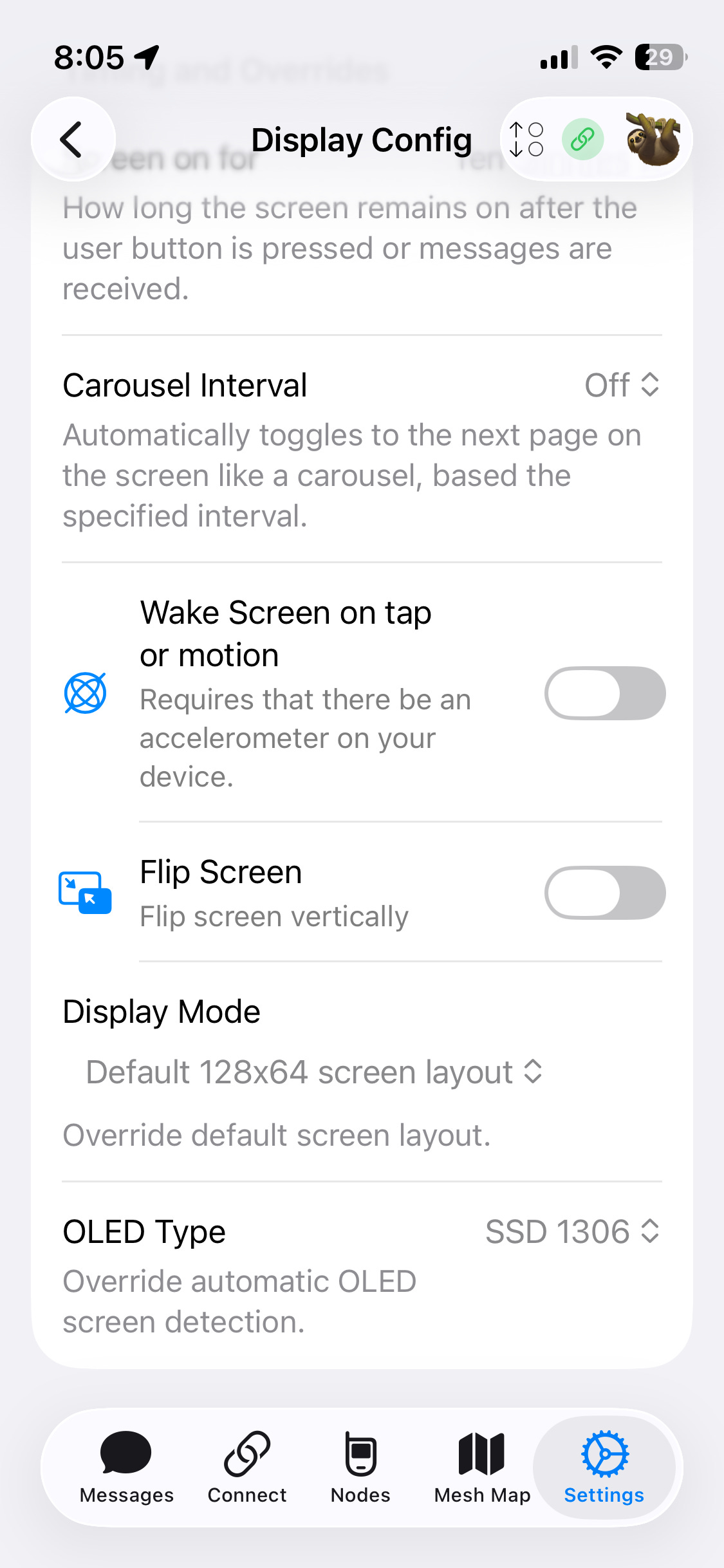
This is typical of Meshtastic I’ve found. Configuring and setting these things up is a lesson in obscurity. It can be difficult to load new firmware on the radio if you’re not a hardware nerd. The iOS Meshtastic app has twenty-seven configuration screens. And they are not, at least to me, in any way intuitive. For instance if you want to turn on MQTT (to bridge your radio traffic to the internet), you might think you’d use the MQTT configuration screen. But actually, you first have to turn MQTT on in the LoRa radio configuration screen (despite the LoRa radio module having nothing to do with MQTT), turn it on per-channel in the Channels configuration screen, and then also use the MQTT configuration screen to set additional options.
You can set up your own private communication channels in Meshtastic which are protected via AES-256 encryption. You have to exchange the keys between users who want to share channels via some secure mechanism such as in-person exchange. Direct person-to-person communications in Meshtastic are also encrypted via public key cryptography, but I have found issues with this, which I have reported to the project, and I do not think it has undergone a thorough audit.
So I would say Meshtastic is finicky to configure and moderately secure. Message metadata (sender, recipient, etc.) is not encrypted, only the message contents. It would be fairly easy to jam or spoof from a radio perspective. It’s mostly useful for small group / small area communications, and with care, it can be fairly reliable for this use case. If you keep your radio out of sight, you appear to just be using your phone, which is normal behavior and will not arouse attention. You can turn off your cell modem and WiFi on your phone to further protect yourself from monitoring/tracking, but they will be able to see your Bluetooth ID.
I do like its low-power battery and solar powered nature. It can be used even in environments where cell, internet, and the power is out. But I don’t think it’s reliable enough to be my primary means of communication during an event without careful planning, rehearsal, and setup ahead of time.
There’s another project, Meshcore, which tries to improve upon Meshtastic in some ways. I’ve experimented with it, but adoption is not high enough to make it useful. It is mostly, but not entirely, open source. At this time I would recommend Meshtastic over Meshcore.
If you need help/advice on setting up Meshtastic in the Denver area, feel free to drop me a line.
I think Meshtastic will need to change their default settings to be reliable around cities (CLIENT_MUTE).
MeshCore seems to have built this into the design at the expense of some planning and minor infrastructure. As a result MeshCore feels snappier and more reliable in and around cities. I hope we see more adoption!
Thanks for sharing. Mesh networks for outdoor companions is something I have been thinking about.